Repair beyerdynamic DT 880, DT 990 and DT 770 Headphones: Left or Right Speaker Not Working or Quiet
Table of Contents
If one side of your Beyerdynamic headphones—like the DT 990 Pro, DT 770, or DT 880—stops working or the cable gets damaged, here’s how you can fix it:
Replacing a Damaged Driver #
If your driver is dead it’s fixable! You need:
- A replacement driver (e.g., Beyerdynamic DT 990 Pro 250-ohm driver)
- A soldering iron
- A multimeter
- Screwdrivers
1. Take Apart Your Headphones #
- Gently pull off the ear pads with your fingers.
- Use a flat screwdriver to remove the plastic ring holding everything in place.
- Remove the foam filter and carefully take out the speaker housing.
2. Test the Driver #
- Use a multimeter in resistance mode (Ω) to check the cable. If it shows no value, the cable or driver is dead and needs replacing.
- You can also measure the driver itself by changing your multimeter to Ohm (Ω) and putting one tip on the far left contact and the other on the far right contact. You should get the Ohm of your driver (e.g. 32ohms, 250ohms or 600ohms). The measured value is usually slightly below the rated impedance.
3. Install the New Driver #
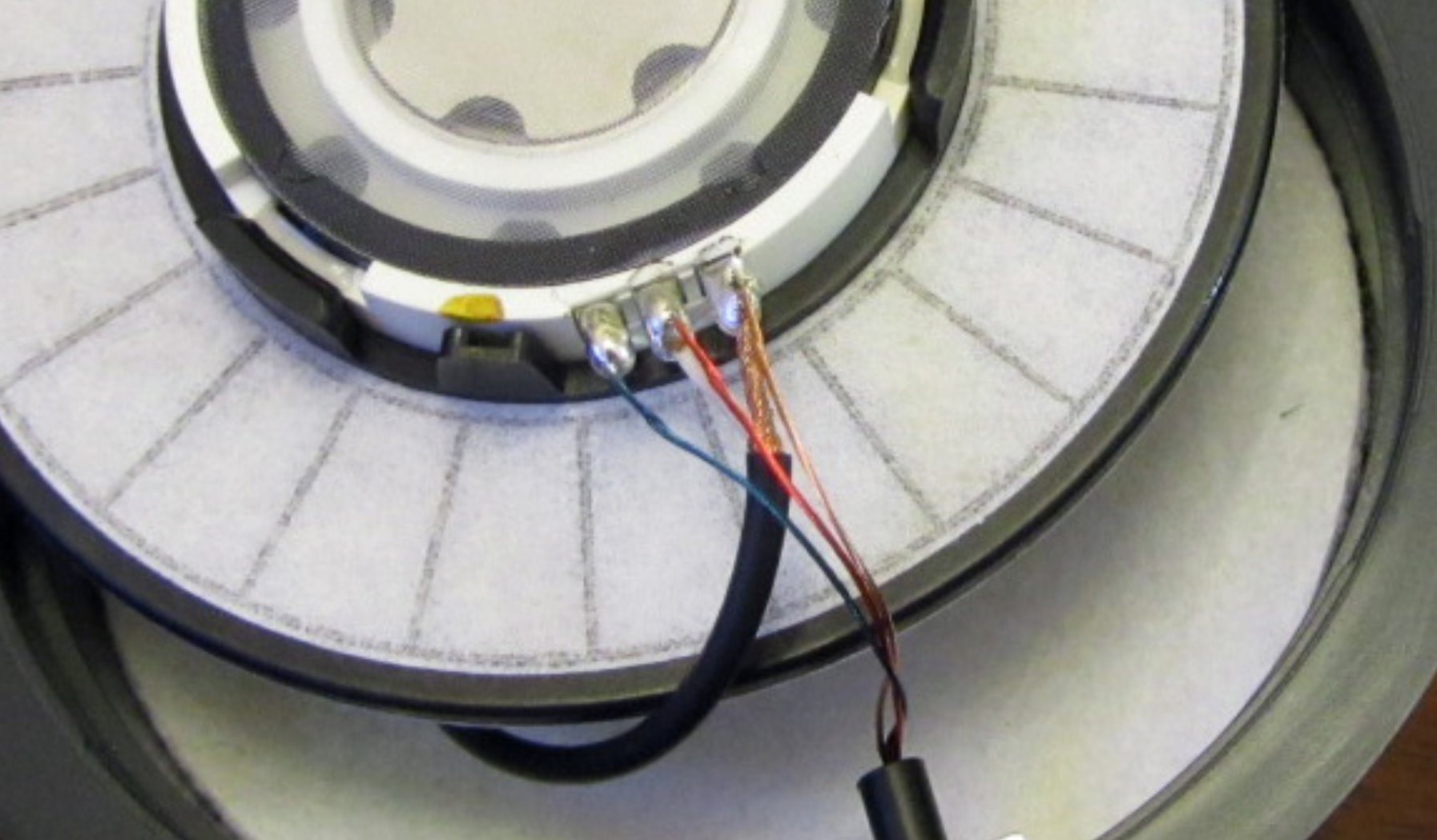
Based on our repairs – colors can differ between production batches:
- Blue Wire = Left channel
- Red wire = Right channel
- Copper wire = Ground
Or, with newer cable colors:
White Wire = Left channel
Red wire = Right channel
Black wire = Ground
Be careful when soldering - if you heat it too long you will damage the driver inside. Solder hot and fast!
Also check out this Picture Guide
Variants of Beyerdynamic Drivers #
Beyerdynamic headphones come with different driver variants. Beyerdynamic drivers do not have consistent polarity within a model. Knowing the type you have is essential for repairs or modifications:
3-Pin Drivers:
- These are simpler drivers with three connection points.
- One side is marked to indicate the positive terminal.
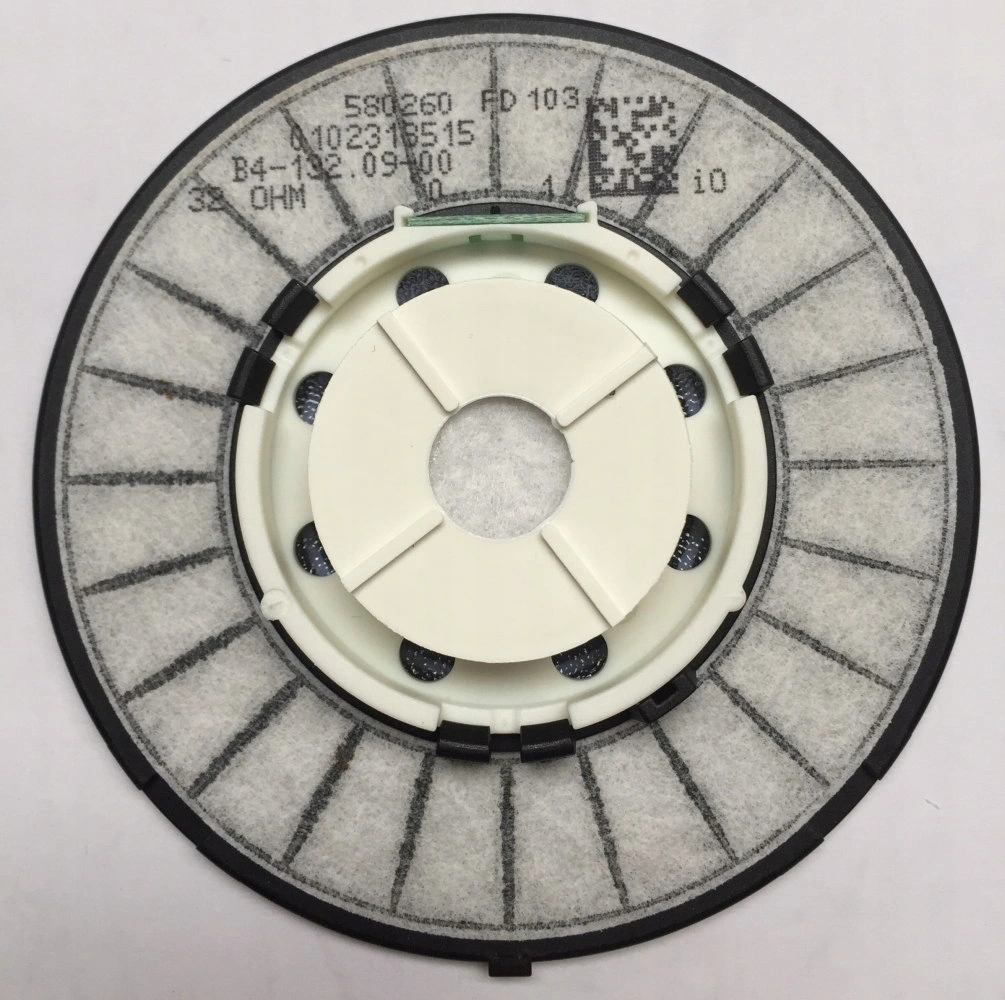
6-Pin Drivers with 0…1 Markings:
- Marked/printed with “0” and “1” on the back.
- 0 = Ground/Negative, 1 = Positive.
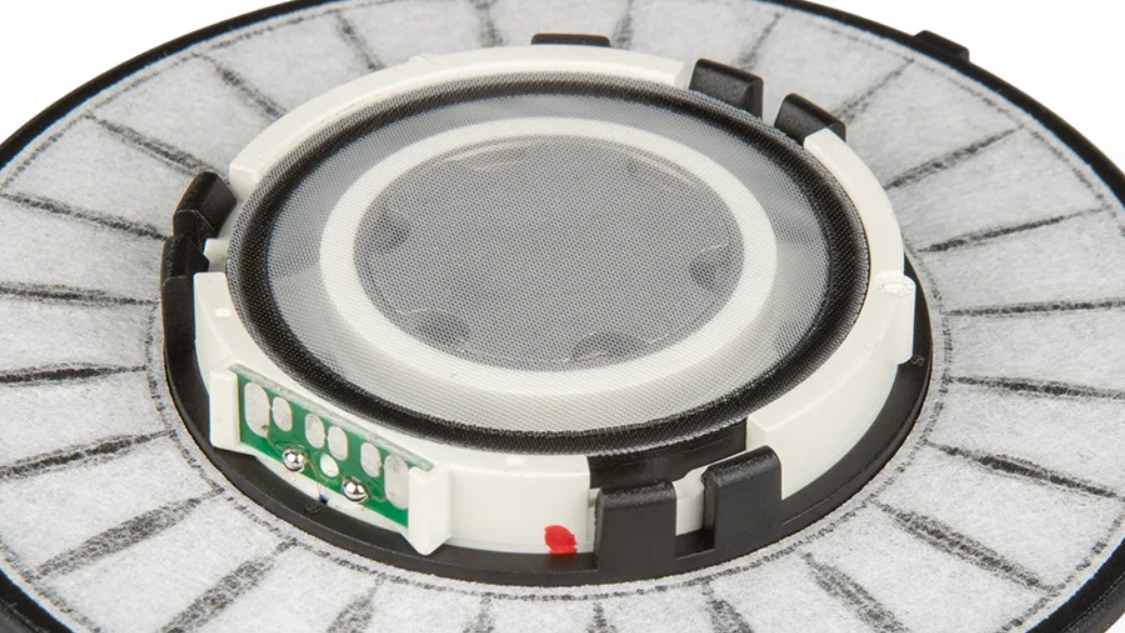
6-Pin Drivers Without Markings:
- One side is marked to indicate the positive terminal.
Avoiding Phase Issues #
If you accidentally switch the “0” and “1” connections on the 6-pin drivers, your headphones will be out of phase. This will make the sound feel unnatural or “not right.” Use this phase test video to verify and correct the wiring if needed.
4. Reassemble Your Headphones #
- Place the new driver back into its housing. Make sure it fits snugly into the groove.
- Put the foam filter back on top, secure it with the plastic ring, and slide the ear pads back into place.
Damaged Cables? #
If your issue is with a broken cable, here’s how to fix it:
The headphone jack has three parts:
- Tip = Left channel (blue wire)
- Ring = Right channel (red wire)
- Sleeve = Ground (copper wire)
Or if newer Color:
- White Wire = Left channel
- Red wire = Right channel
- Black wire = Ground
Simply replace or re-solder any broken wires back to their correct positions.
Extra Resources #
beyerdynamic sells original spare parts in its spare parts shop.
Check out this awesome Guide to switch to XLR Cable for step-by-step instructions on adding a mini-XLR mod. Picture Guide